How to update running combat robots to a new assembly with GitHub OsEngine.
Let's talk about the quick transfer of your scripts to the new version of OsEngine. This is relevant for users whose robots and indicators are stored in the Custom folder, i.e., separated into individual files.
Why?
Sometimes it is necessary to update robots in trading. This need arises in several cases:
1. The exchange has changed its API, and older versions of OsEngine no longer connect to trading or work with errors.
2. An important functionality for OsEngine has been released, which is crucial.
This usually happens several times a year.
Downloading the new OsEngine and unpacking it.
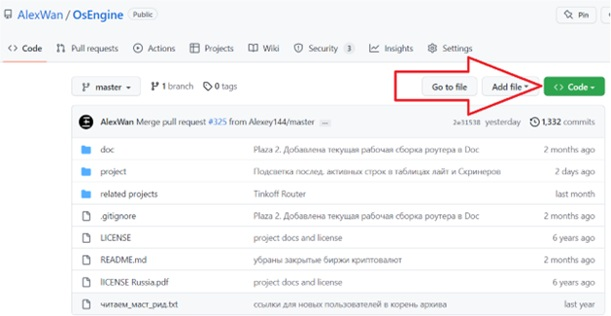
Go to GitHub: https://github.com/AlexWan/OsEngine
On the page, you will see a green button labeled «Code».
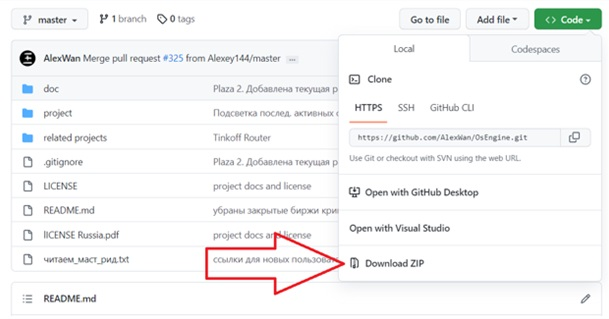
Click on «DownLoad ZIP» and the file will start downloading.
Make sure to extract the downloaded file!
Transferring settings and data from the old robot to the new one.
Open the folder with the old robot and the folder from the new build.
Copy the following three files from the old folder:
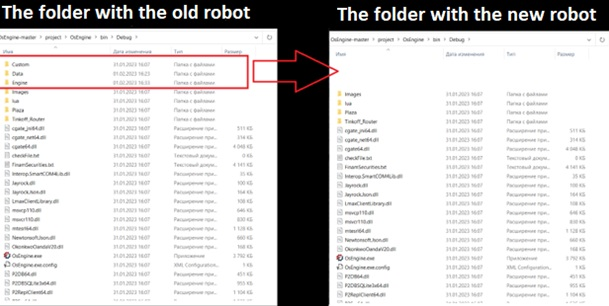
1. «Custom» - contains the scripts.
2. «Data» - contains the candlestick and trade history.
3. «Engine» - contains the settings for servers and robots.
Nuances:
1. Do not delete the old assembly immediately. Otherwise, if there are any problems with the new one, you will not be able to run the robots, and the settings will be lost.
2. Turn off the old robot before transferring the data.
Important! If you encounter the following error when connecting:
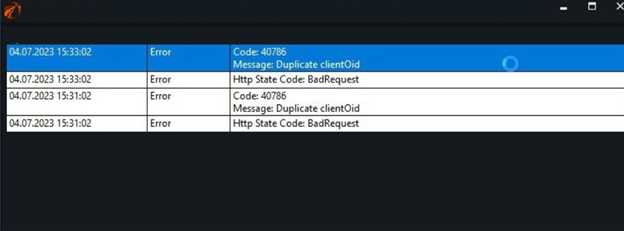
Resolve it as follows:
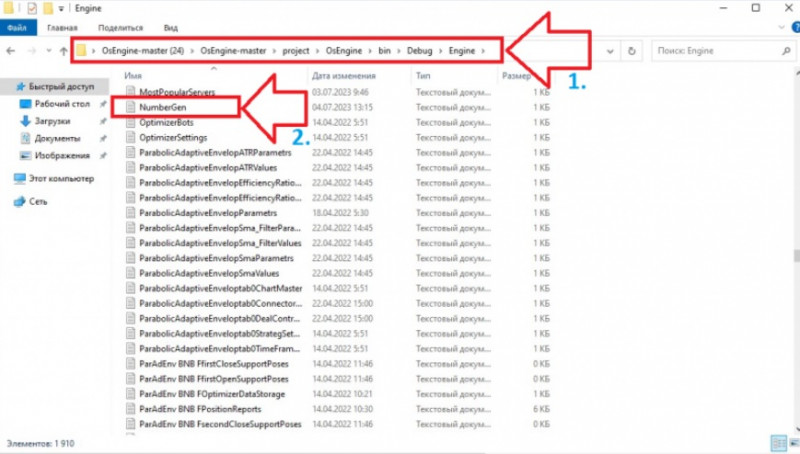
Go to the previous version of OsEngine.
In the Engine folder, find the NumberGen file, copy it, and replace the same file in the new version with the copied one.
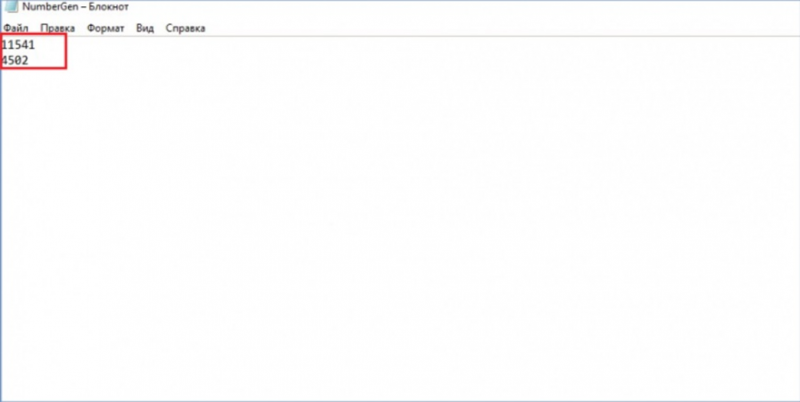
If you have already deleted the old assembly, then you need to open this file and replace the zero values with numbers from a thousand and above, for example, like this:
Robots should be stored in the Custom/Robots folder.
This will only work if the robots are stored not inside a project, but as standalone scripts. Right here:

If something doesn't work out or if you have any questions, please write to the support chat, link.