Trades. Anonymous trade tape. Description of the Trade class.
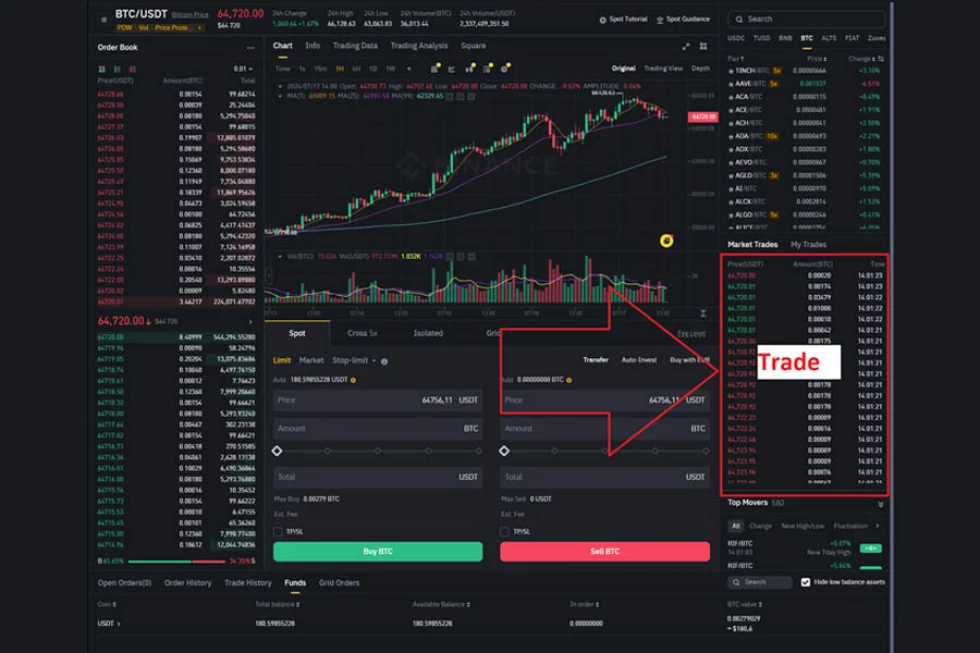
Let's Talk About the Trade Feed.
In your web terminal, you can see the trade feed somewhere here, as shown in the image above. Typically, this is a table.
1. What is the Trade Feed and Trade?
A non-personalized trade or trade – all these terms describe the fact of interaction between a buyer and a seller (through order matching), the result of which is an atomic operation transferring securities from one party to another. We see records of this in the non-personalized trade table.
How a non-personalized trade occurs:
1. A client at the exchange placed a sell order for 100 shares of Sberbank at a price of 200 rubles.
2. Then another client placed a buy order for 100 shares of Sberbank at a price of 200 rubles.
3. The exchange core saw that the orders could be "matched" and fulfilled both. One client had 100 shares deducted, while the other gained 100 shares.
4. At this moment, the core generated a record in the trade feed for Sberbank. In this case, it was a single trade at a price of 200 rubles with a volume of 100 shares; the active party was the buyer.
In the Astras terminal by ALOR, the trade feed for Sberbank looks like this:
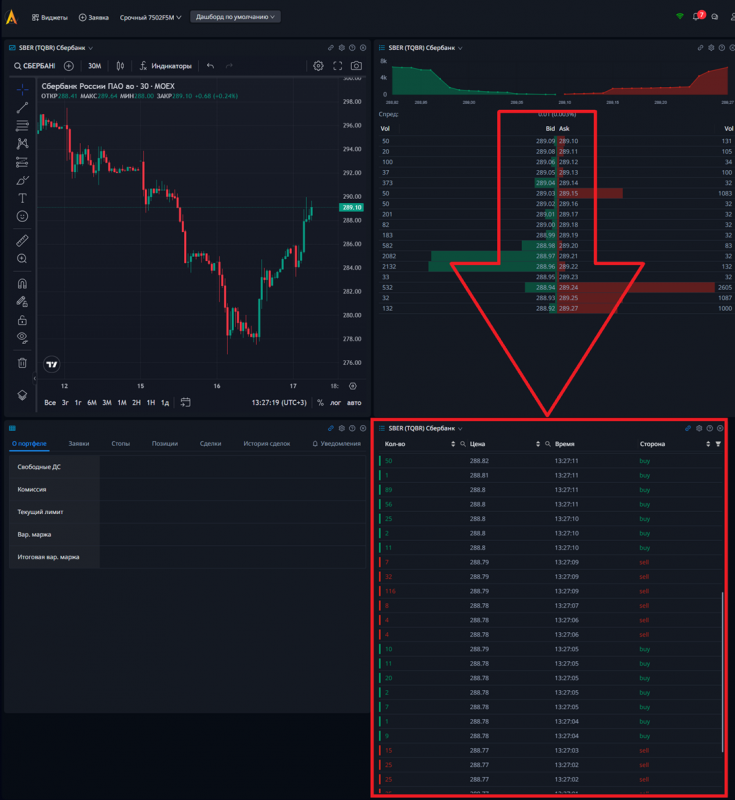
2. Class Trade. How Does the Trade Feed Look in OsEngine?
Each trade in this table, when entering OsEngine, is transformed into a Trade class.
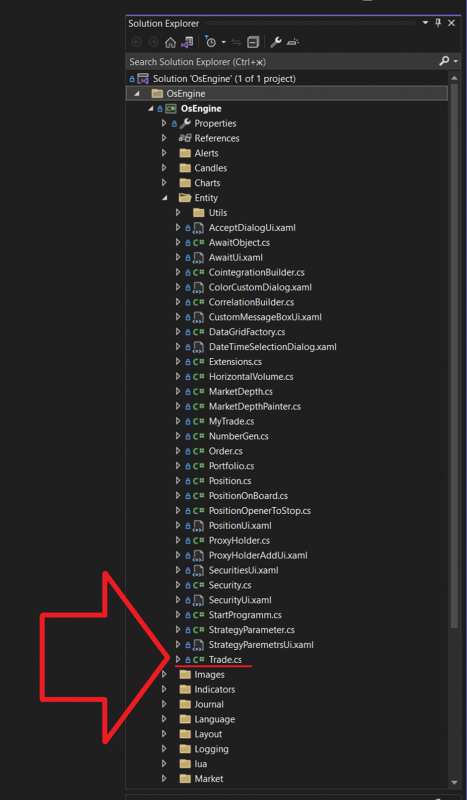
In the OsEngine project on GitHub, this class is located here.
Within the project, it can be found here:
The class itself, if you open it, looks as follows:
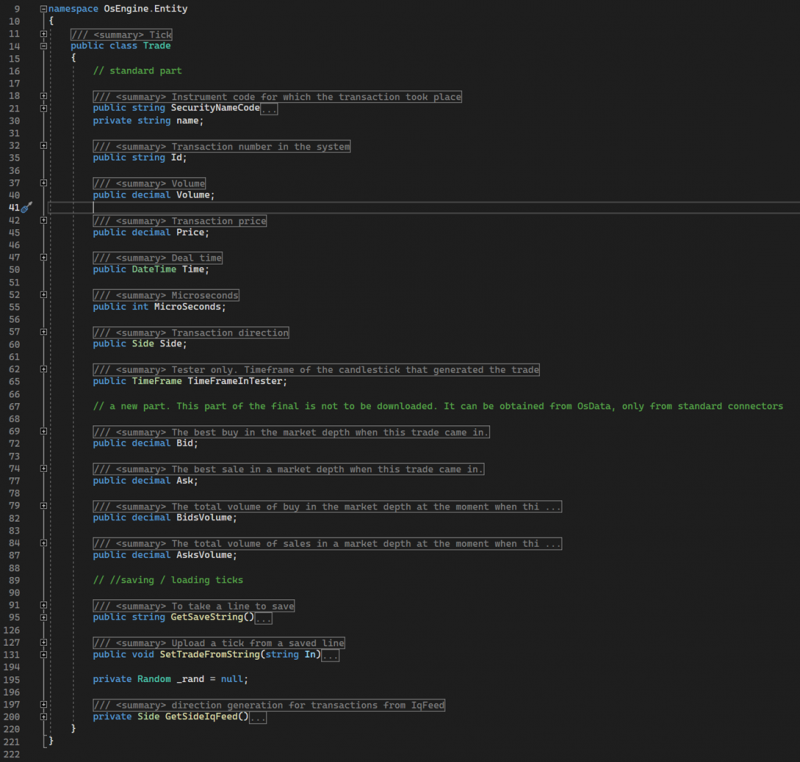
Let's take a closer look:
- SecurityNameCode – a public string property that contains the name of the asset associated with this trade.
- Id – a public string field, a unique identifier within a specific instrument, set by the exchange.
- Volume – a public decimal field that stores the volume of the operation.
- Price – a public decimal field that contains the price of the instrument at which the trade occurred.
- Time – a public DateTime field that indicates the date and time of the trade.
- MicroSecond – a public int field that stores the number of microseconds that have passed since the time specified in the Time field. It’s important to note that not all exchanges provide this information, so if it’s missing, this field will store 0.
- Side – the active side of the trade. A public field of type Side. Possible values of the Side enumeration:
- None – used when creating objects when the direction of the trade is not defined.
- Buy – purchase.
- Sell – sale.
- TimeFrameInTester – service information for the tester, needed during testing on different timeframes for a single asset.
- Bid – a public decimal field that stores the value of the best buy level from the order book at the time of the Trade class object creation.
- Ask – a public decimal field that stores the value of the best sell level from the order book at the time of the Trade class object creation.
- BidsVolume – a public decimal field that stores the total volume of all buy levels in the order book at the time of the Trade class object creation.
- AsksVolume – a public decimal field that stores the total volume of all sell levels in the order book at the time of the Trade class object creation.
- GetSaveString – a public method that takes no parameters and returns a string containing all the fields of the object for further storage.
- SetTradeFromString – a public method that takes a string containing data for all fields, parses it, and initializes the object's state.
- GetSideIqFeed – a private method that determines the trade side for trades received from IqFeed.
3. How Can the Trade Feed Be Used in Bots on OsEngine?
In the basic source code of BotTabSimple, which we will discuss extensively in our guides, there is an option to subscribe to the trade feed for the instrument and make decisions by analyzing it.
For example, in the public build, there is the TimeOfDayBot example, which enters a position based on the arrival of a specified time, which it checks from the incoming trade feed:
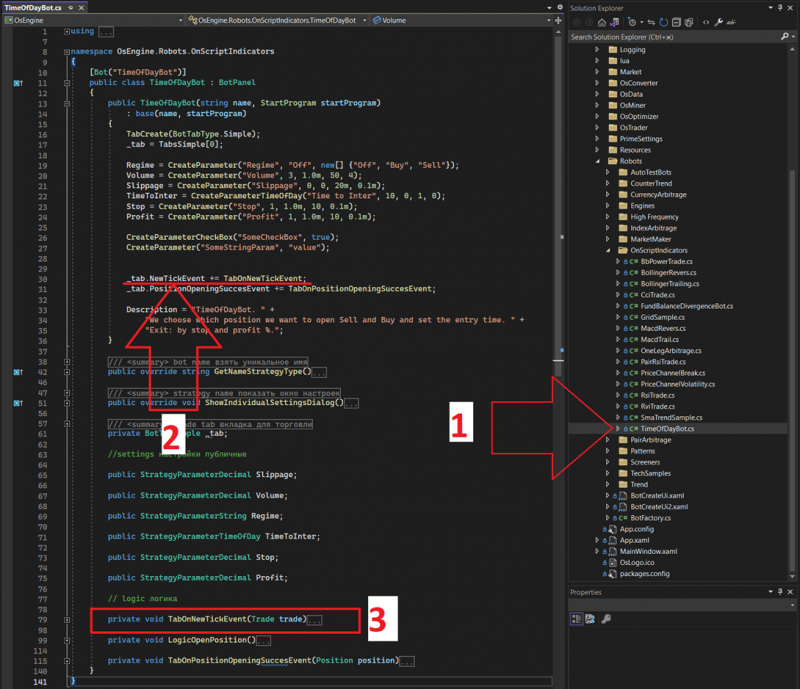
1. Location of the Example in the Project.
2. Here, we subscribe to the update event for the trade feed.
3. Event Handler for Trade Tape Updates. When a new entry appears in the trade tape table for a specific instrument on the exchange, we receive a new trade in this event and can analyze it in various ways.
Wishing you successful algorithms!
If you have any difficulties or questions, please write to the support chat. Link