Label in the Parameter Window. StrategyParameterLabel.

StrategyParameterLabel provides the ability to add labels to the parameter window, typically for visually separating elements within the parameter window.
Location in the GitHub Repository.
Location in the project when opened on a PC:
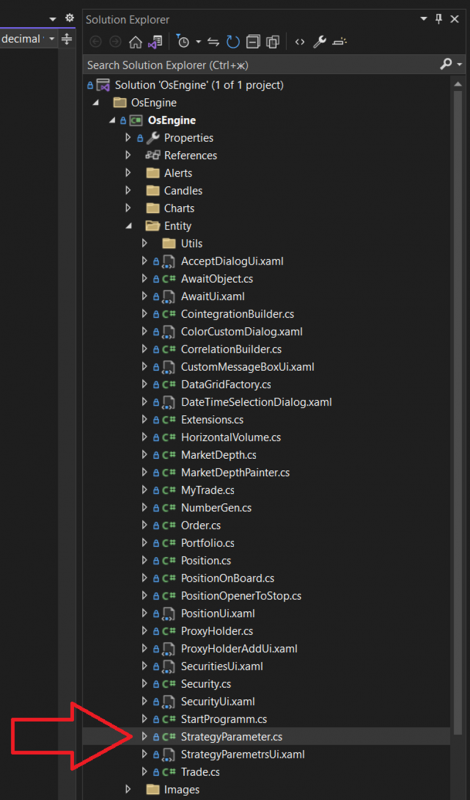
The class looks as follows:
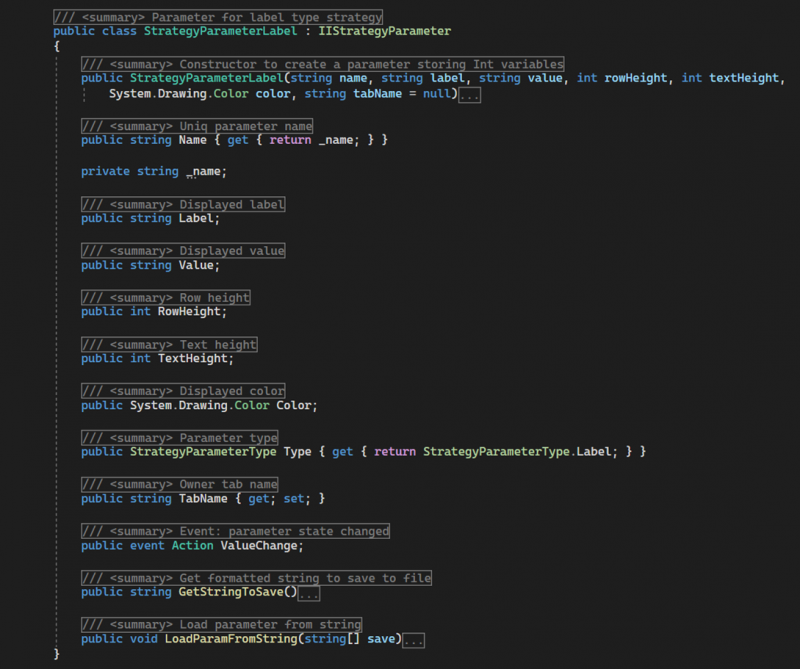
It consists of the following members:
StrategyParameterLabel - a public constructor with parameters that initializes the initial state of the object. Accepts the following data:
name - the name for the instance used in the program code;
label - the displayed name for the label;
value - the displayed value of the label;
rowHeight - the height of the row with this parameter;
textHeight - the height of the text in the row with the parameter;
color - the color of the displayed text;
tabName - the name of the tab where the parameter should be displayed;
Name - a public property of type string. Returns the displayed name of the parameter, which should be unique within the robot.
Label - a public field of type string. Contains the value displayed on the left side of the parameter row.
Value - a public field of type string. Contains the main value of the parameter displayed on the right side of the row.
RowHeight - a public field of type int. Stores the value for the height of the row where the parameter is displayed.
TextHeight - a public field of type int. Stores the value for the height of the font that displays the parameter data.
Color - a public field of type Color. Specifies the color of the displayed text.
Type - a public property of type StrategyParameterType. Returns the value StrategyParameterType.Label.
TabName - a public property of type string. Provides access to the name of the tab where the parameter will be displayed in the parameter window.
ValueChange - a public event. Does not carry functional load, required for compliance with the interface.
GetStringToSave - a public method. Returns a string with the parameter object settings for saving.
LoadParamFromString - a public method. Accepts an array of strings with settings for the parameter and initializes the state of the object.
Example of usage.
Typically, StrategyParameterLabel is used to display additional information in the parameter window, such as explanations or visual separation between other parameters in the table. The label does not offer any functionality needed by the robot's algorithm, so it can be created using the method CreateParameterLabel without saving the return value in a variable.
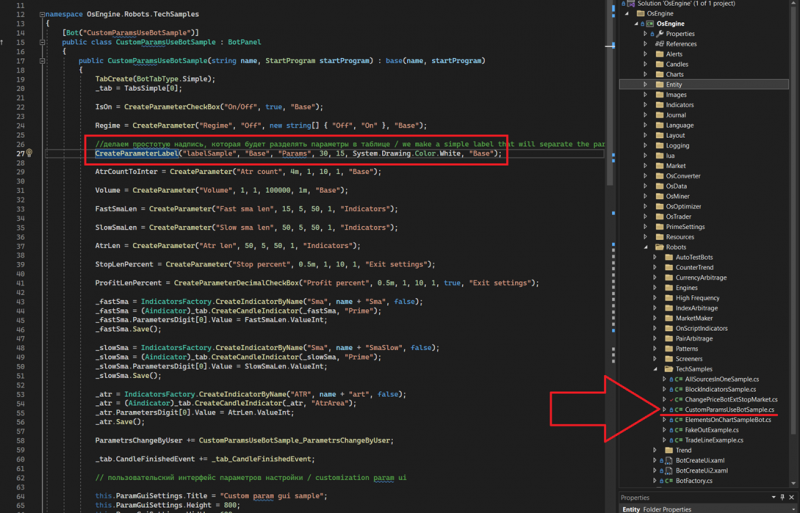
View in interfaces.
The Label parameter appears in the robot's settings as a string with two entries that cannot be edited:
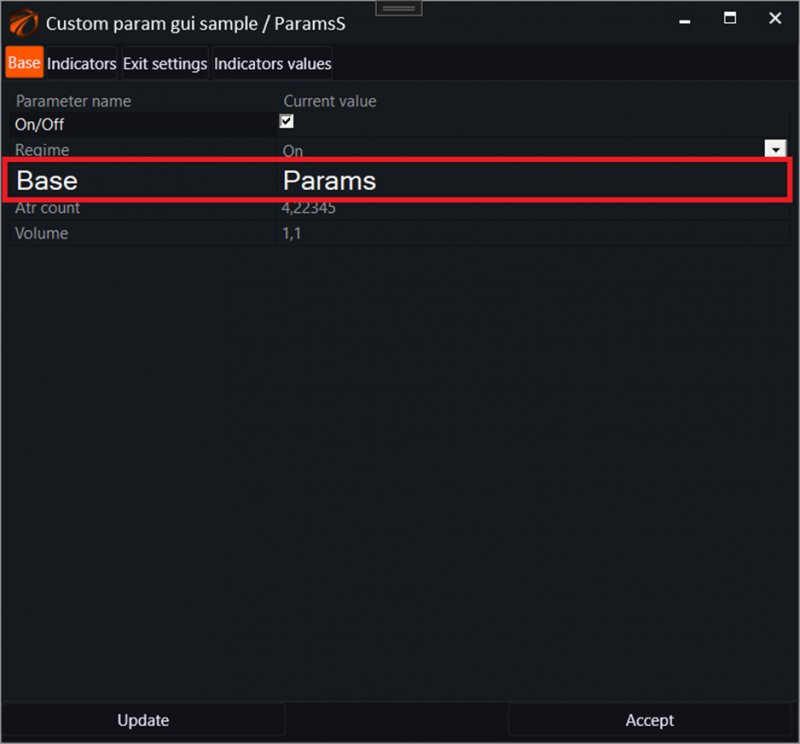
This type of parameter does not appear in the optimizer.
Successful algorithms!
If you have any difficulties or questions, please write to the support chat. Link