Checkbox toggle. StrategyParameterCheckBox.

The StrategyParameterCheckBox essentially replicates the functionality of StrategyParameterBool. It allows for the selection of one of two possible states – true or false. However, there is one visual difference; the StrategyParameterCheckBox is displayed as a checkbox.
The repository location on GitHub is here.
The location in the project, when opened on a PC:
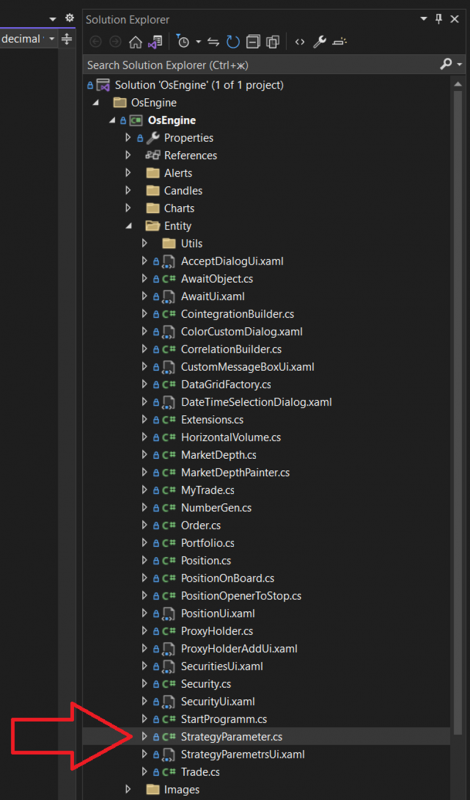
The class itself looks as follows:
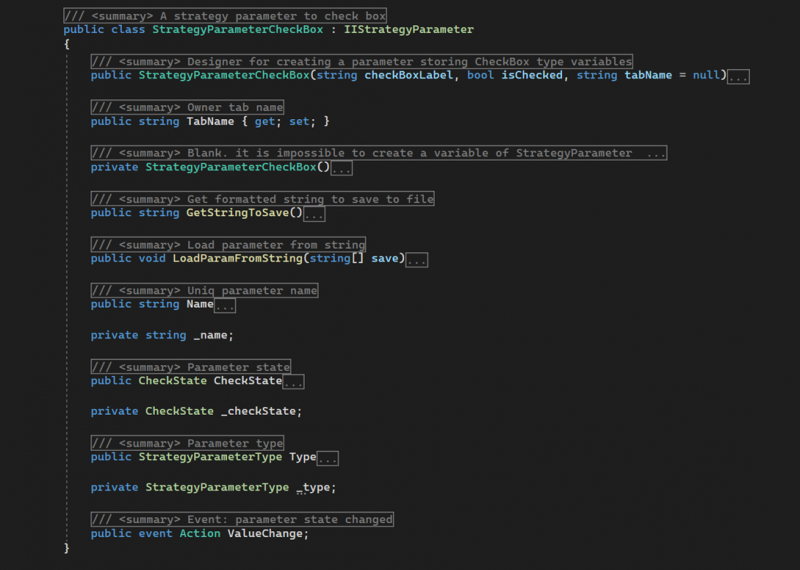
The type includes the following members:
StrategyParameterCheckBox - a public constructor with parameters. It initializes the initial state of the object. It accepts the following data:
checkBoxLabel - the displayed name of the parameter;
isChecked - the default value;
tabName - the name of the tab where the parameter should be displayed;
StrategyParameterCheckBox - a private constructor with no parameters.
TabName - a public property of type string. It provides access to the name of the tab where the parameter will be displayed in the parameters window.
GetStringToSave - a public method. It returns a string with the parameter object's settings for saving.
LoadParamFromString - a public method. It accepts an array of strings with settings for the parameter and initializes the object's state.
Name - a public property of type string. It returns the displayed name of the parameter, which must be unique within the robot.
CheckState - a public property of type CheckState. It gets or sets the main value of the parameter. In case of a change, it raises the ValueChange event.
Type - a public property of type StrategyParameterType. It returns the value StrategyParameterType.CheckBox.
ValueChange - a public event. It signals a change in the CheckState value.
Example usage.
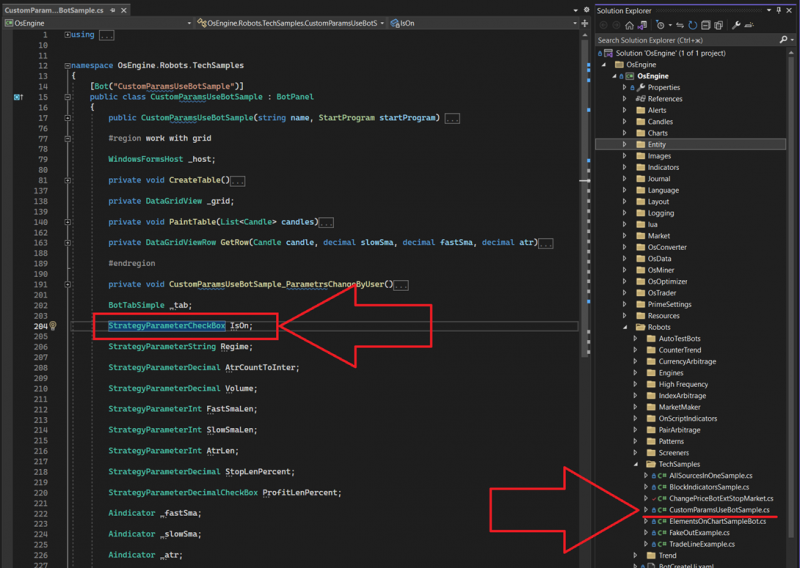
You can view it in the technical examples within the OsEngine project. In CustomParamsUseBotSample, there is a CheckBox parameter. Here it is:
Creating a parameter in the constructor:
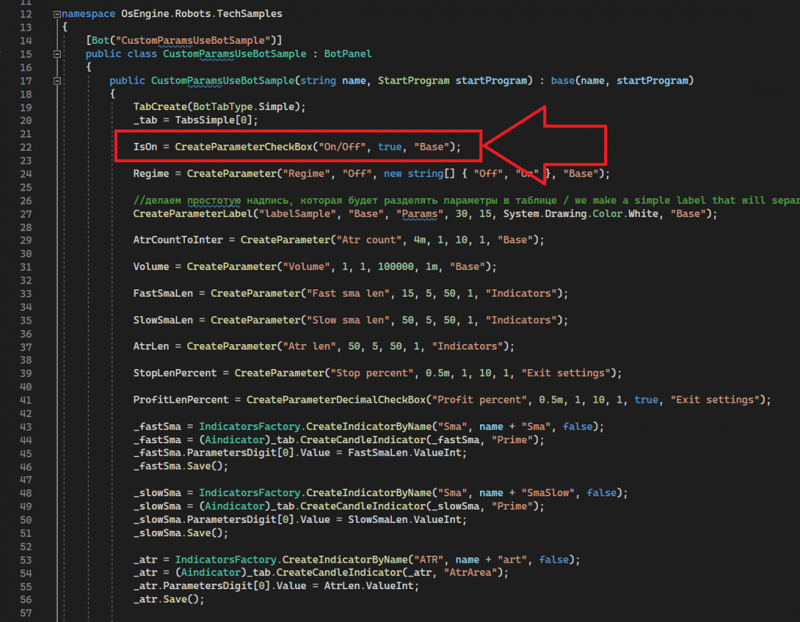
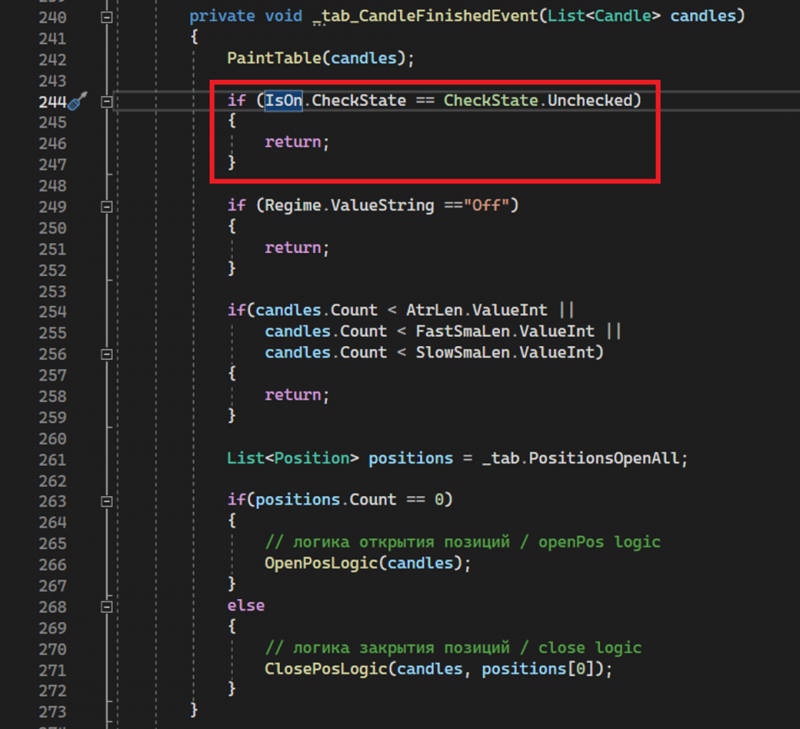
You can see the usage of the parameter in the same example further down in the code:
Appearance in interfaces.
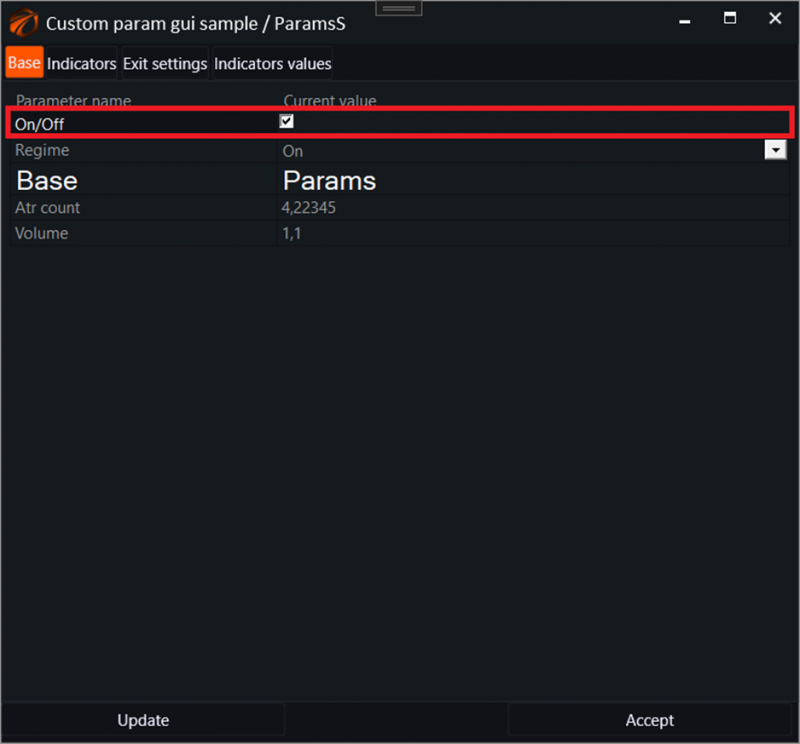
The CheckBox parameter appears in the robot's settings like this:
This type of parameter cannot be optimized automatically. The optimizer assumes that the user will select the value manually before optimization begins. In the Default column:

Happy algorithming!
If you have any difficulties or questions, please write to the support chat. Link