Button in the Parameter Window. StrategyParameterButton.
StrategyParameterButton is a button that the user sees in the parameter window, and its pressing can trigger certain actions.
Location in the GitHub Repository.
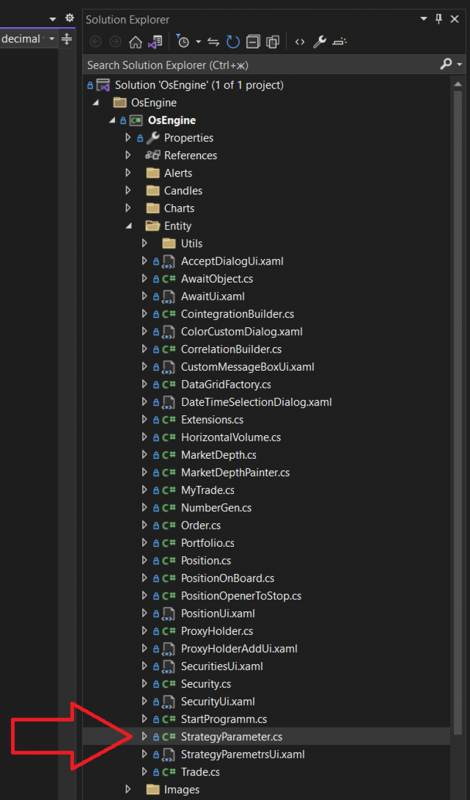
Location in the project when opened on a PC:
The class looks as follows:
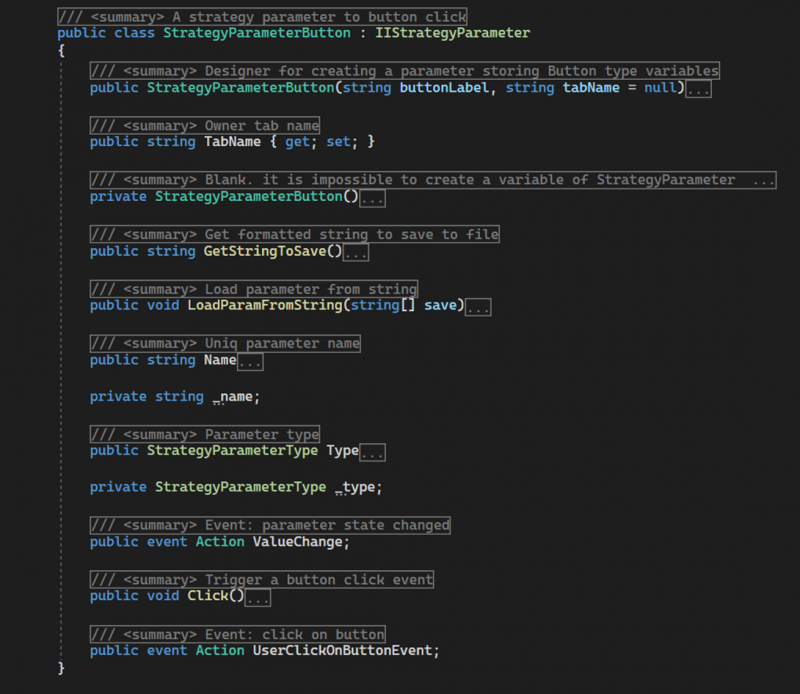
StrategyParameterButton is a class that provides the ability to add a button to the parameter window and attach a handler to its click event. This allows the algorithm to incorporate any functionality for manual control without the need to create additional windows. The platform includes a free robot, ElementsOnChartSampleBot, demonstrating the process of adding graphical elements to the chart using this parameter.
It consists of the following members:
StrategyParameterButton - a public constructor with parameters. Initializes the initial state of the object. Takes the following data:
buttonLabel - the name displayed on the button;
tabName - the name of the tab where the parameter should be displayed;
StrategyParameterButton - a private constructor without parameters.
Name - a public property of type string. Returns the name of the parameter, which should be unique within the robot where the parameter is used.
TabName - a public property of type string. Provides access to the name of the tab where the parameter will be displayed in the parameter window.
Value - a public field of type TimeOfDay. Contains the core value of the parameter - the time of day.
GetStringToSave - a public method. Returns a string with the parameter object settings for saving.
LoadParamFromString - a public method. Does not carry functional load, required for compliance with the interface.
Name - a public property of type string. Returns the displayed name of the parameter, which should be unique within the robot.
Type - a public property of type StrategyParameterType. Returns the value StrategyParameterType.Button.
ValueChange - a public event. Does not carry functional load, required for compliance with the interface.
Click - a public method. Handles the click event on the actual button in the user interface, invoking the UserClickOnButtonEvent.
UserClickOnButtonEvent - a public event. Sends a signal indicating the button has been pressed.
Example of usage.
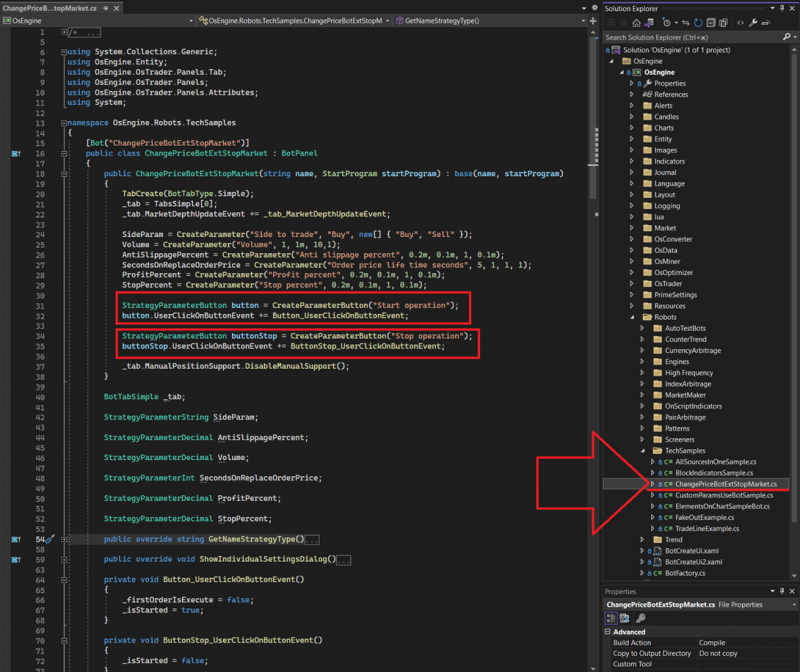
You can see technical examples within the OsEngine project, for instance, in ChangePriceBotExtStopMarket. This robot uses buttons to initiate trading logic. In the image, you see the creation of the "button" parameter and the subscription to the button click event:
View in interfaces.
The Button parameter appears in the robot's settings as a button:
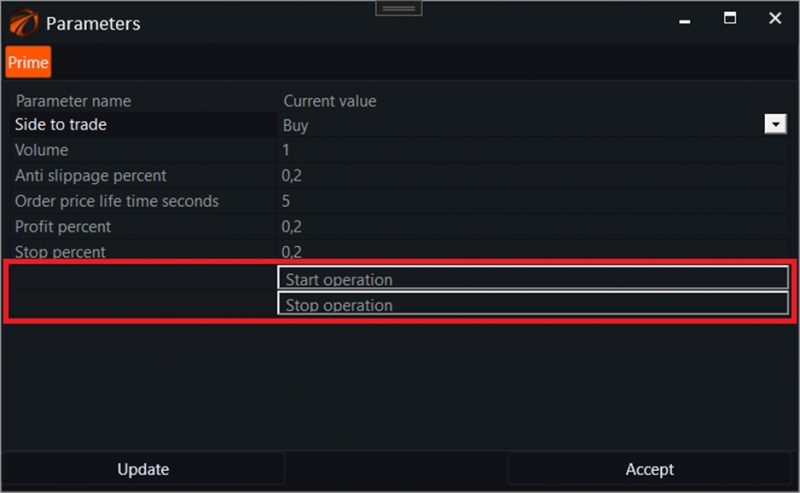
This type of parameter cannot be optimized automatically. Moreover, the Button parameter does not appear in the optimizer! For example, the robot from the previous example would look like this in the optimizer:

Successful algorithms!
If you have any difficulties or questions, please write to the support chat. Link