Overview of the IIstrategyParameter interface.

In this article, we will get acquainted with the class IIStrategyParameter, the parent of all parameters, and where parameters are displayed in the interface.
Typically, most trading algorithms have adjustable parameters that allow for flexible system configuration for different markets and instruments. Moreover, with different settings, the robot can show completely different results on the same asset.
Of course, it's possible to implement custom settings in robots, but it is much more preferable to use specially created classes for this purpose. After all, standard parameters are automatically visualized in the interface of the tester, trading station, and optimizer.
All types of parameters implement the IIStrategyParameter interface.
1. Parameters in the BotStation Settings and Tester Window.
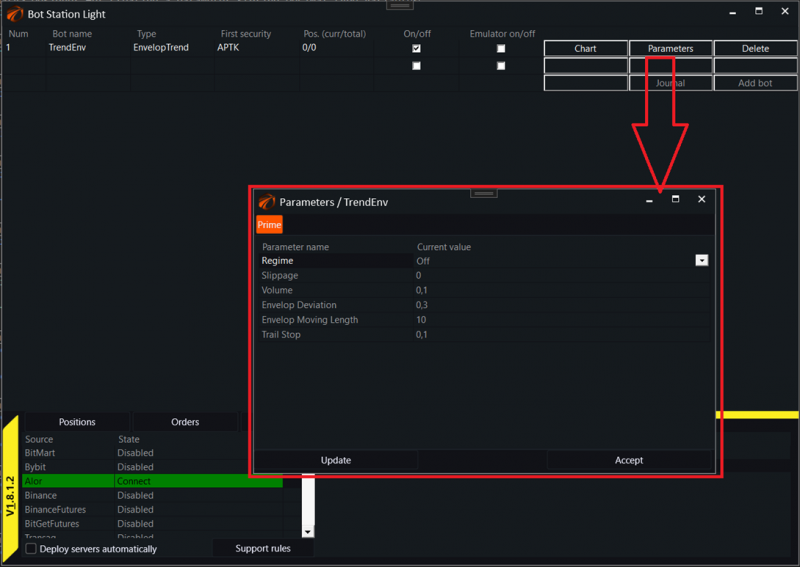
Using ready-made parameters allows the program to display robot settings in a special window without the need to create additional modules for this purpose. Access to this window can be obtained by pressing the "Parameters" button for a specific robot:
2. Parameters in the Optimizer.
Secondly, robots that use parameters can be utilized in the OsEngine optimizer. The optimizer automatically pulls all parameters from the strategy, allows them to be configured appropriately, and tests the robot by iterating through all available combinations.
It should be noted that the optimizer can iterate through only some parameters. The following types are suitable for iterations:
1. StrategyParameterInt
2. StrategyParameterDecimal
3. StrategyParameterDecimalCheckBox
4. The rest are configured by the user before the optimization process begins.
Optimized parameters Int and Decimal:
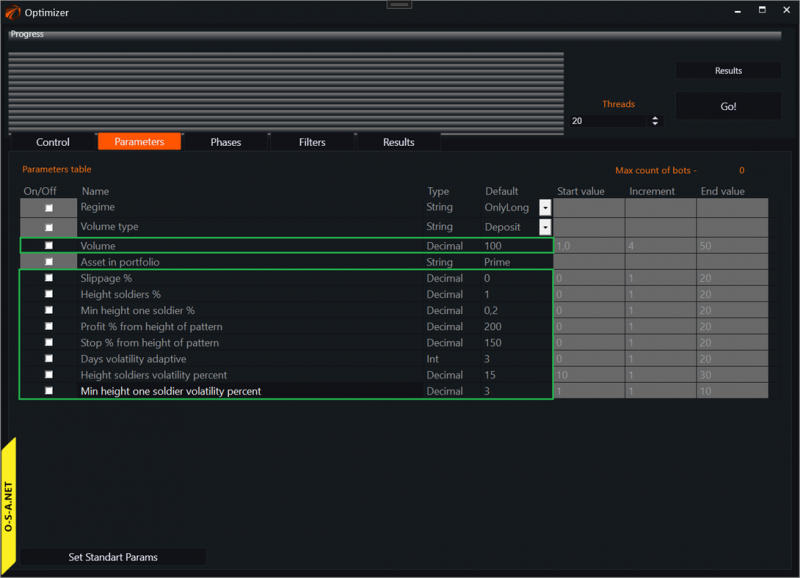
In the illustration, the parameters highlighted in green are those whose values the optimizer can iterate through.
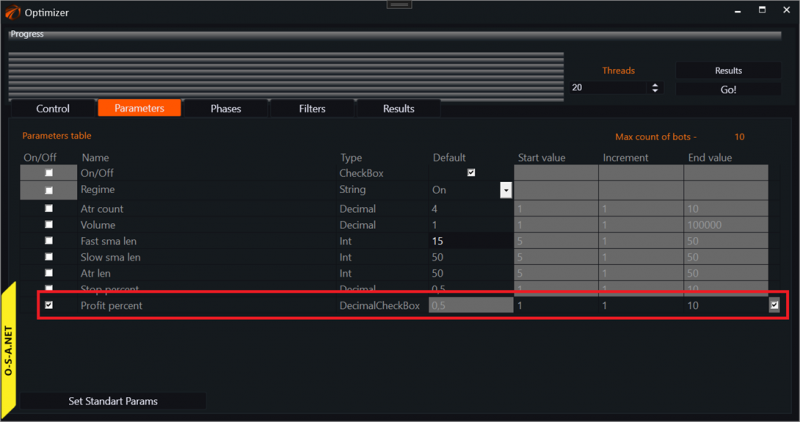
DecimalCheckBox appears as follows:
3. Parameters in the Source Code.
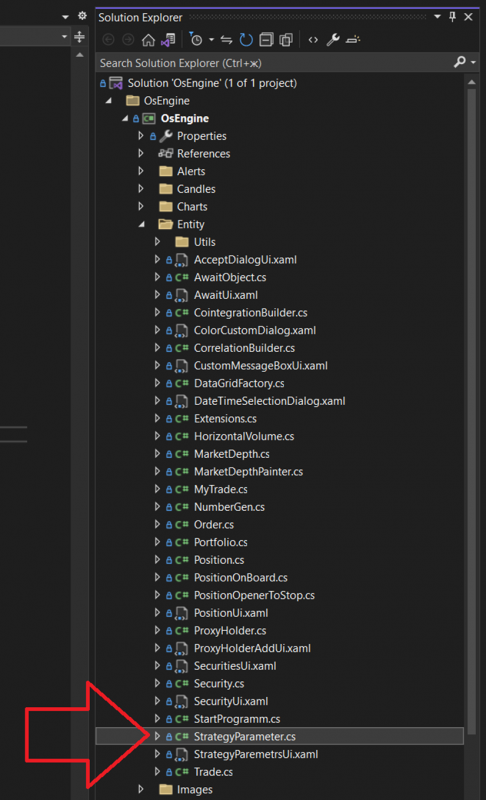
The code for the interface itself and all parameters is located in the file StrategyParameter.cs.
In the OsEngine repository on GitHub, it can be found here.
Inside the project itself, if you open it, it is located here:
The interface itself looks like this:
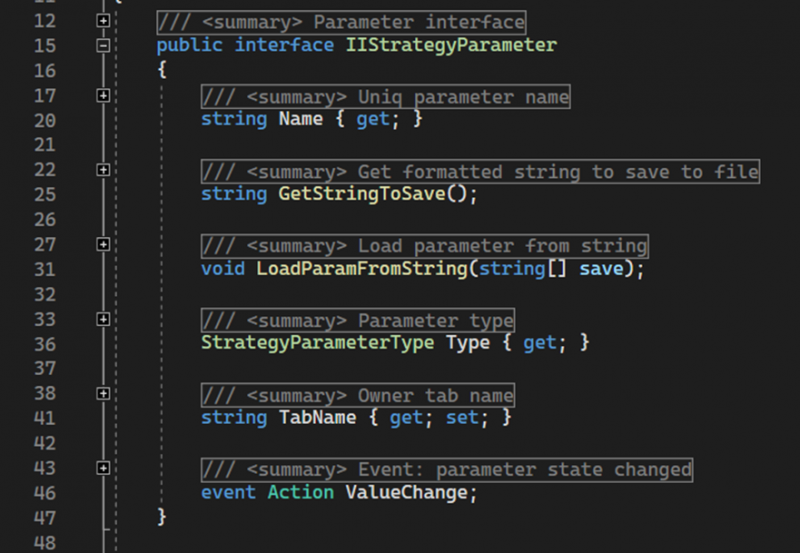
Classes implementing the IIStrategyParameter interface must have the following members:
Name – a public property of type string. Returns the displayed name of the parameter, which must be unique within the robot.
GetStringToSave - a public method. Returns a string with the settings of the parameter object for saving.
LoadParamFromString - a public method. Accepts an array of strings with settings for the parameter and initializes the object's state.
Type – a public property of type StrategyParameterType. Returns the type of the parameter.
TabName – a public property of type string. Provides access to the name of the tab where the parameter will be displayed in the parameters window.
ValueChange – a public event. Signals a change in the main value of the parameter.
4. Types of Robot Parameters for OsEngine.
In the same class as above, you can find an enumeration with a list of parameter types that you have access to:
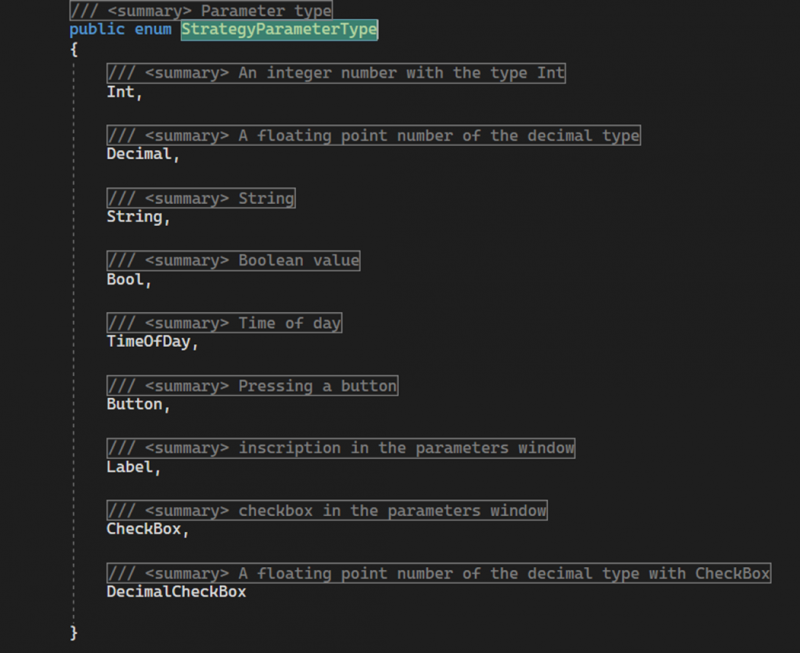
1. StrategyParameterInt – integer value.
2. StrategyParameterDecimal – floating-point number.
3. StrategyParameterString – enumeration or string value.
4. StrategyParameterBool – boolean value. True / False.
5. StrategyParameterTimeOfDay – time within a day.
6. StrategyParameterButton – button within a day.
7. StrategyParameterLabel – label in the parameters window.
8. StrategyParameterCheckBox – checkbox. True / False.
9. StrategyParameterDecimalCheckBox – checkbox and value simultaneously.
Each of these parameters will be covered in this mini-series of articles, and we will learn how to use them within robots.
Happy Algorithmic Trading!
If you have any difficulties or questions, please write to the support chat. Link