Order Book, Market Depth. Description of the MarketDepth class.
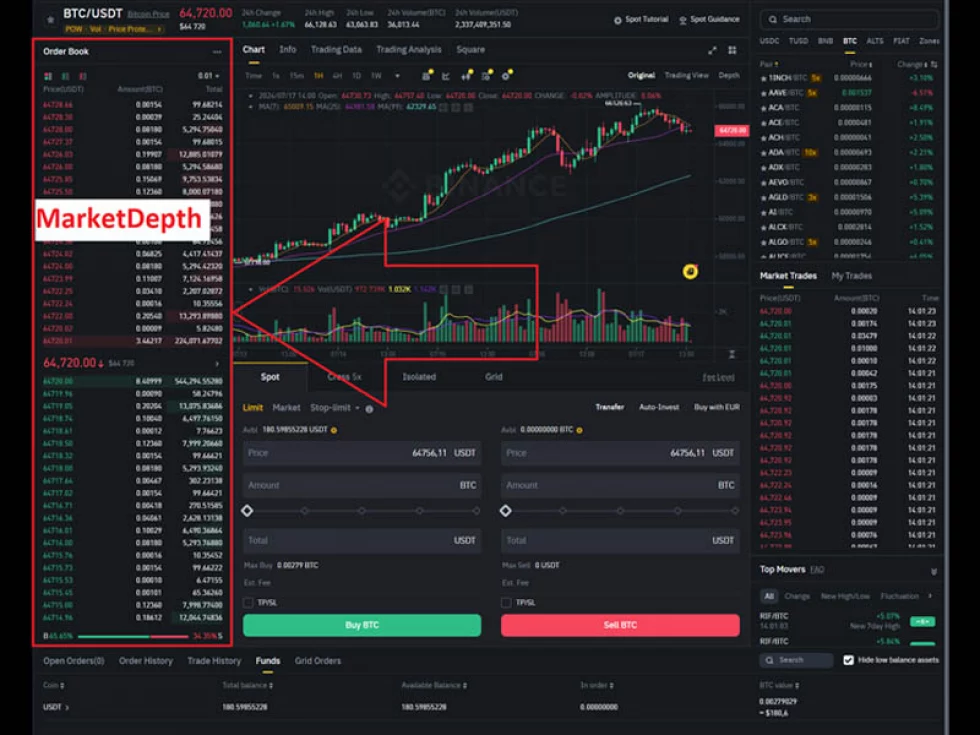
Let’s talk about the order book or MarketDepth as it is sometimes called. In almost any web terminal, it has a structure similar to the picture above.
1. What is an order book on the exchange?
An essential attribute of any trading platform is the order book.
All trades, after validation, enter the core of the exchange, where a special algorithm matches buyers with sellers.
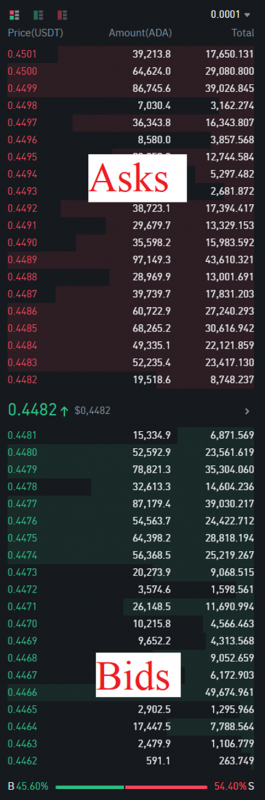
The order book consists of two sorted lists. The first is called bids (Bids), which holds all limit buy orders, with the best order being the one with the highest price. The second is called asks (Asks), which holds all sell orders, with the best order being the one with the lowest price.
If there are multiple orders at the same price, the best one is considered to be the one that was received first. An aggregated order book of quotes is built based on the order book, which we have become accustomed to seeing in all terminal interfaces and exchanges. For example, on a popular exchange, it looks like this:
2. The MarketDepth Class in OsEngine.
In OsEngine, the MarketDepth class is responsible for modeling this entity. Essentially, it is a snapshot of the order book at a specific point in time. The MarketDepthLevel class describes one line from the order book.
You can find this class on GitHub here.
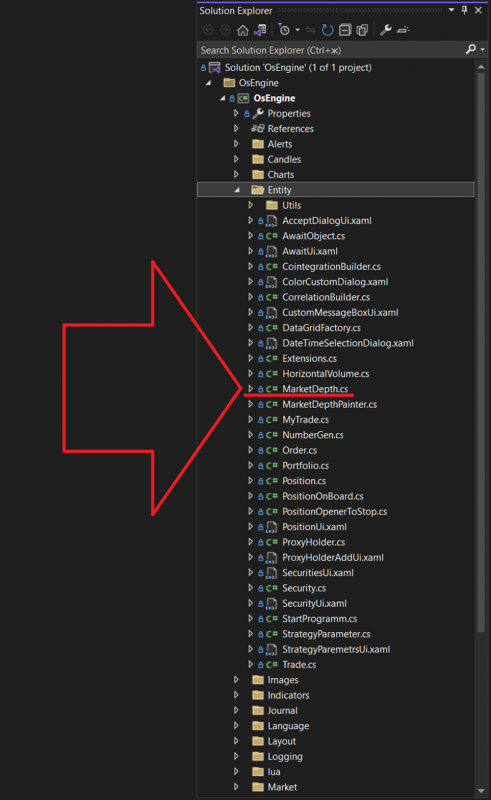
Within the project, it is located here:
The class itself, when you open it, looks as follows:
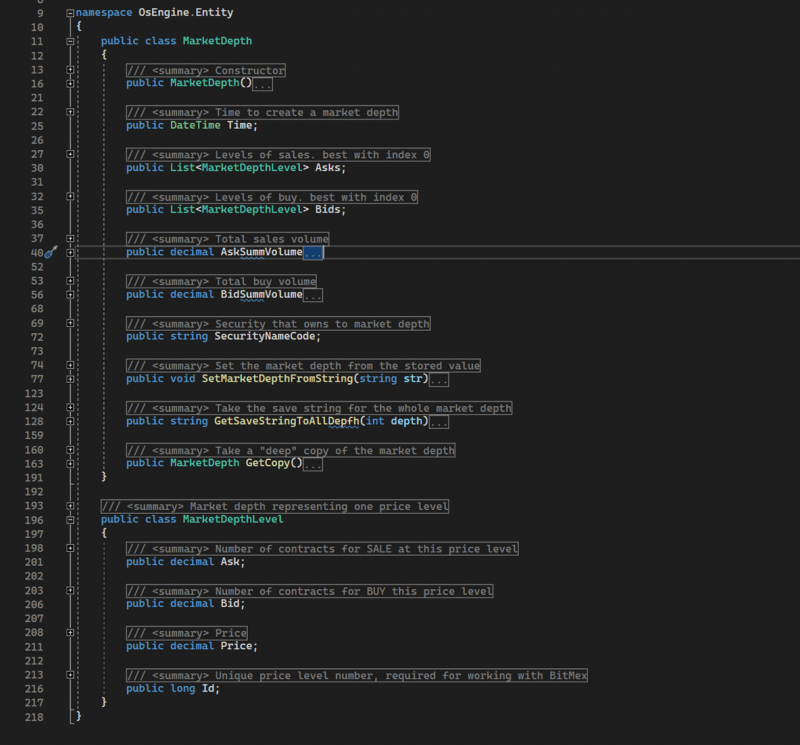
Let’s take a closer look at the structure of these classes.
MarketDepth
- Time – a public field of type DateTime. Stores the time the current snapshot was created.
- Asks – a public field of the enumerable type. Contains a list of all sell levels. The best price is at index 0.
- Bids – a public field of the enumerable type. Contains a list of all buy levels. The best price is at index 0.
- AskSummVolume – a public property of type decimal. Provides the total volume of all sell levels.
- BidSummVolume – a public property of type decimal. Provides the total volume of all buy levels.
- SecurityNameCode – a public string field. Contains the name of the instrument to which this order book belongs.
- SetMarketDepthFromString – a public method. Accepts a string containing data for all fields, parses it, and initializes the state of the object.
- GetSaveStringToAllDepth – a public method. Takes the required depth for processing levels as a parameter and returns a string containing all fields of the object for further storage.
- GetCopy – a public method that returns a deep copy of the current object.
MarketDepthLevel
- Ask – a public field of type decimal. Contains information about the total number of lots for sale at this level.
- Bid – a public field of type decimal. Contains information about the total number of lots for purchase at this level.
- Price – a public field of type decimal. The price of the current level.
- Id – a public field of type long. A unique identifier for the price level.
3. How can the order book be used in bots on OsEngine?
In the basic source, BotTabSimple, which we will discuss extensively in our guides, there is an option to subscribe to updates of the order book and make decisions based on its analysis.
For example, in the public build, there is an example of a HighFrequencyTrader, which implements spamming orders at the best price for the instrument. Use it as an example:
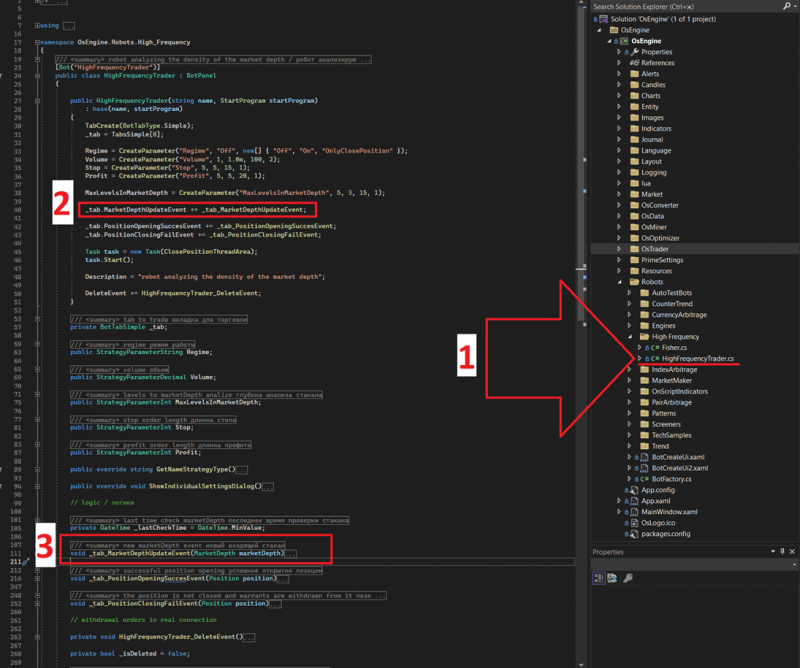
1. Location of the example in the project.
2. Here we subscribe to the order book update event.
3. Event handler for the order book update.
Happy algorithm trading!
If you have any difficulties or questions, please write to the support chat. Link