Emulator in OsEngine. How to enable and why is it needed?

In Os Engine, there is an option to trade in emulator mode. This is very convenient, especially for inexperienced algorithmic traders. It’s also a great way to test your trading strategy.
With the emulator enabled, orders will not be sent to the exchange but will be settled within the platform.
How to enable it?
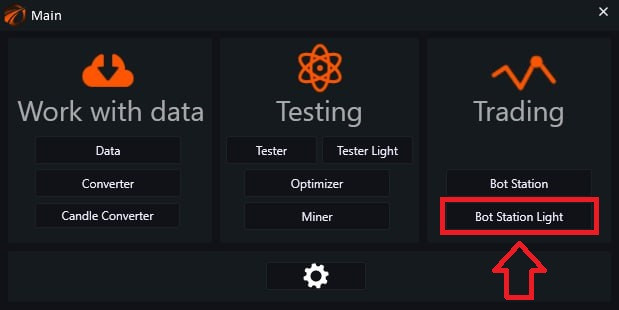
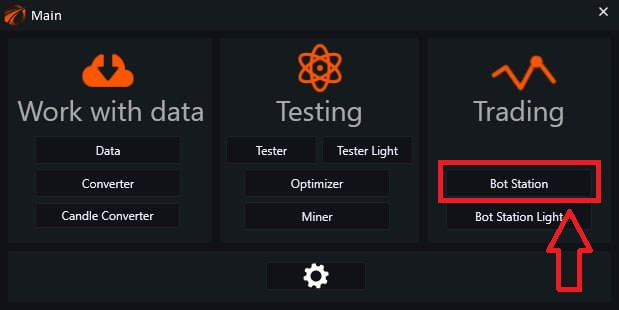
From the main menu, launch Bot Station Light.
Next to the selected bot, check the box under the corresponding label - “Emulator on/off”.

The emulator can also be enabled when you are setting up data for the bot:

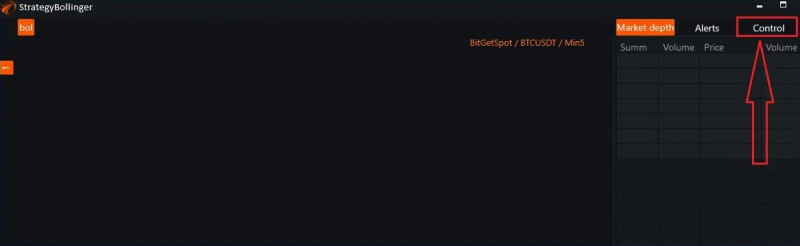
Then click on «Control»
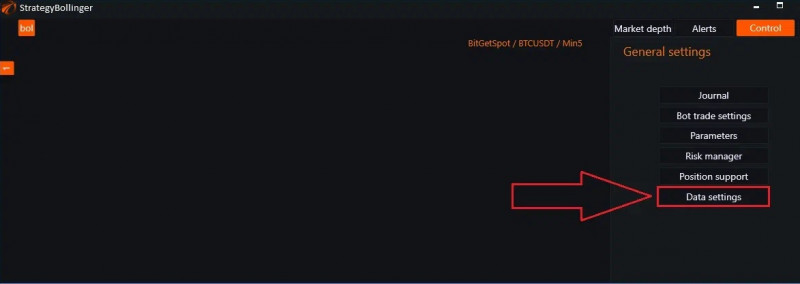
Next, click on «Data settings» (the connection to the exchange should be active):
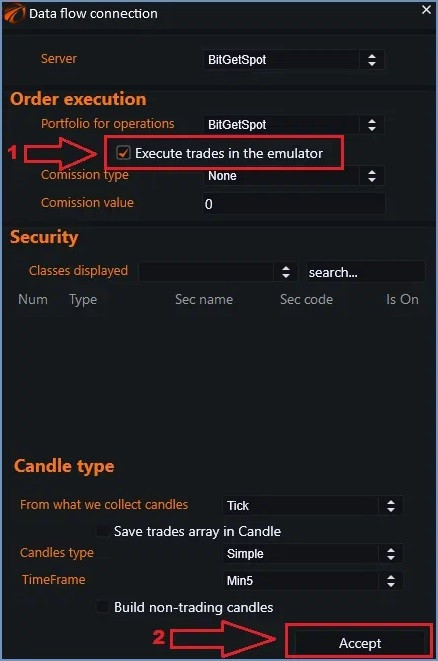
Now:
- Check the box next to «Execute trades in the emulator».
- Click «Accept».
If you are trading through «Bot Station»:
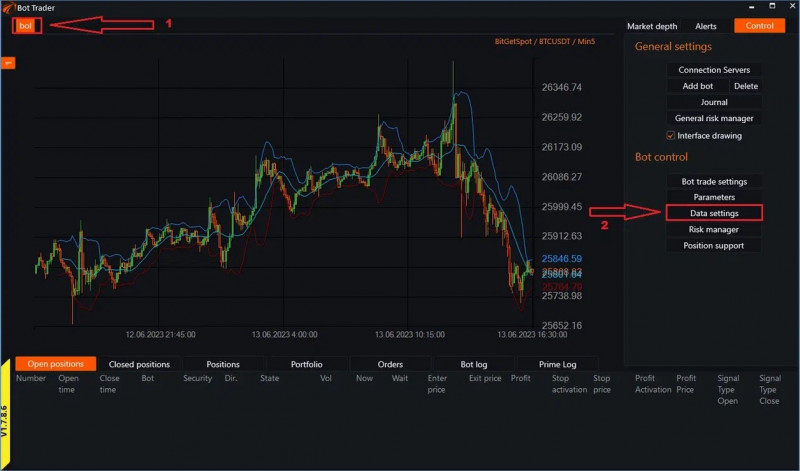
- Click on the tab with the robot.
- Click on «Data settings».
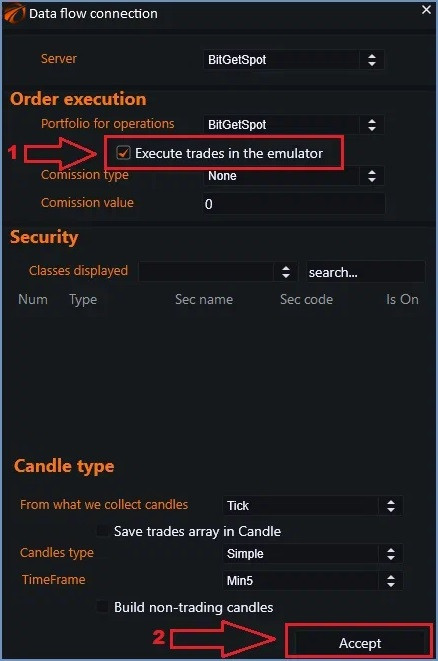
Next:
- Check the box next to «Execute trades in the emulator».
- Click «Accept».
Repeat these steps for all connected bots!
PS:
If something didn't work or if you have any questions, please write in the support chat, link.