CloseAtFake

public void CloseAtFake(Position position, decimal volume, decimal price, DateTime time)1. position – the position that needs to be closed;
2. volume – the transaction volume;
3. price – the order price at which the position will be considered closed;
4. time – the time at which the position will be considered closed;
The method closes the position in the program without sending any commands to the exchange. This behavior can be useful, for example, if you have closed the position in another terminal and now need to mark it as closed in OsEngine as well.
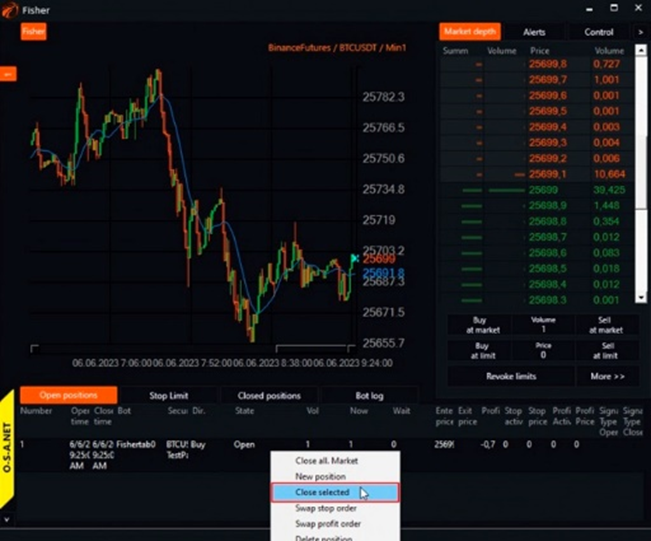
In OsTrader, access to this functionality can be obtained in the positions table. You need to invoke the context menu by right-clicking and selecting "close selected position":
A position management window will open:
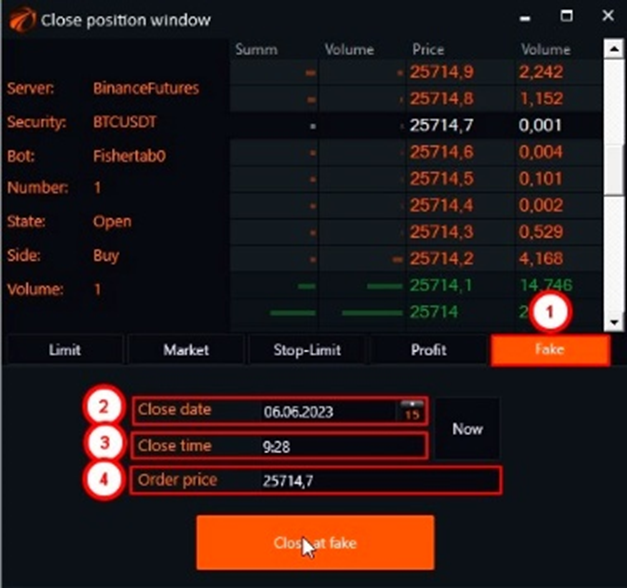
1. go to the Fake tab;
2. set the date and time;
3. set the price. The price can be automatically filled by selecting the desired level in the order book;
4. set the transaction volume;
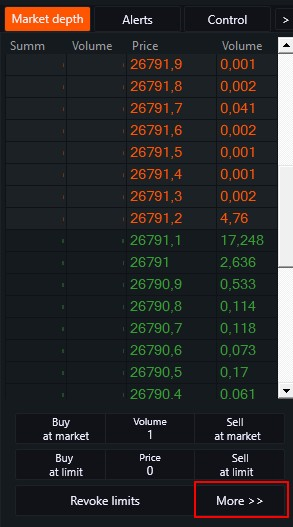
In OsTrader Light, access to this window can be gained by pressing the "More" button:
If you have any difficulties or questions, please write to the support chat. Link