Exchange Portfolio and Positions on the Exchange. Class Portfolio and PositionOnBoard.
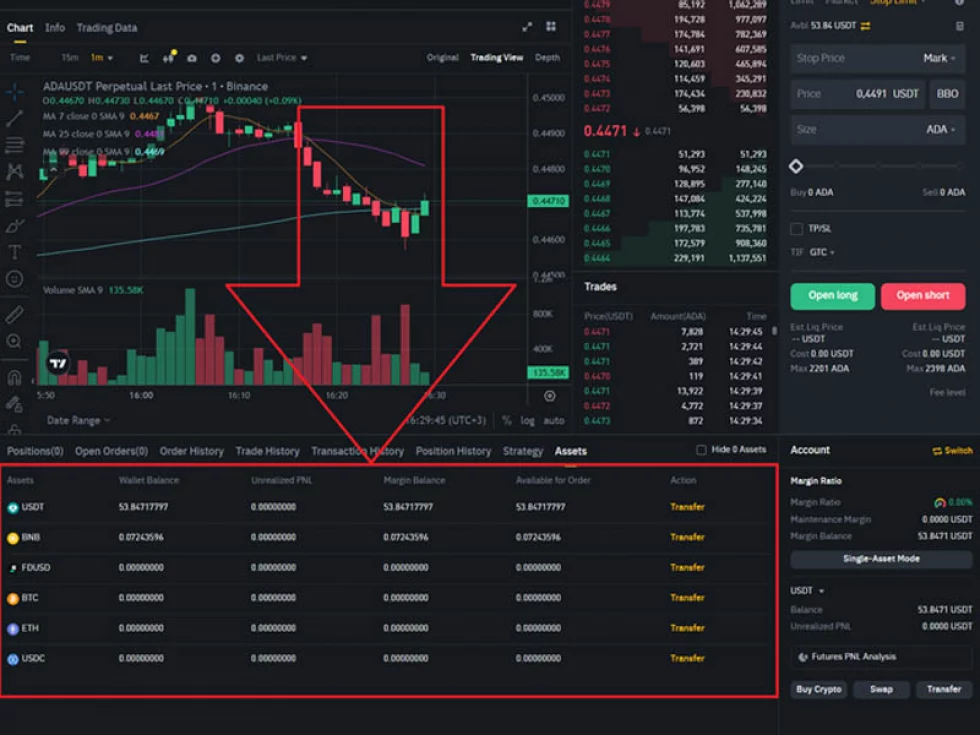
Let's talk about the portfolio on the exchange. This is your "wallet," where money (assets) and positions in stocks and derivatives are stored. In the web terminal, it looks something like the picture above.
1. What is a portfolio on the exchange?
During trading activities in the financial market, users acquire rights to assets, regardless of whether they are stocks, bonds, options, cryptocurrency pairs, or any other assets.
As a result, there arises a need to store all this information in a specific location. In OsEngine, this purpose is served by the Portfolio class, which represents such an abstract entity as a brokerage account on traditional exchanges or a wallet on cryptocurrency exchanges.
2. Portfolio Class in OsEngine.
Within the OsEngine terminal, this entity is stored in the Portfolio class.
On GitHub, this class can be found here.
In the project, it resides here:
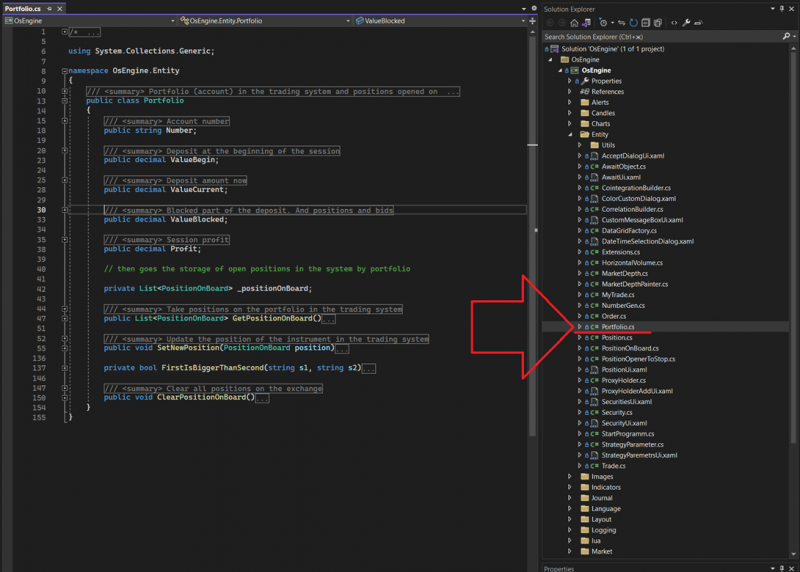
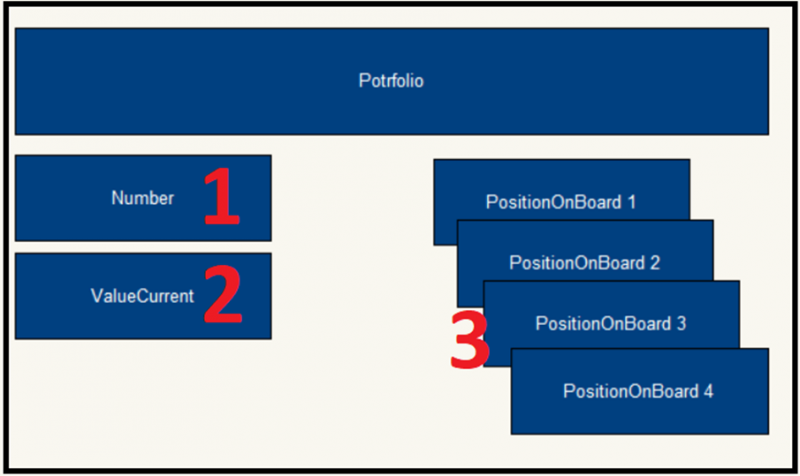
Number – a public string-type field. Contains the account number obtained from the trading system.
ValueBegin – a public decimal-type field. Stores the value in money that was available at the beginning of the trading session.
ValueCurrent – a public decimal-type field. Stores the current value in money available in the account.
ValueBlocked – a public decimal-type field. Stores the value in money that is blocked by the exchange as collateral.
Profit – a public decimal-type field. Contains the trading result in the form of profit or loss obtained during the current trading session.
GetPositionOnBoard – a public method. Returns a list of all stock positions belonging to the client at the current time.
SetNewPosition – a public method. Accepts data from the trading platform and updates the list of stock positions.
ClearPositionOnBoard – a public method. Clears the list of stock positions stored in the terminal.
3. Class PositionOnBoard.
Within the portfolio, positions related to it are stored. These are called PositionOnBoard. They contain positions and, in some cases, assets.
On GitHub, this class can be found here.
In the project, this class is located here:
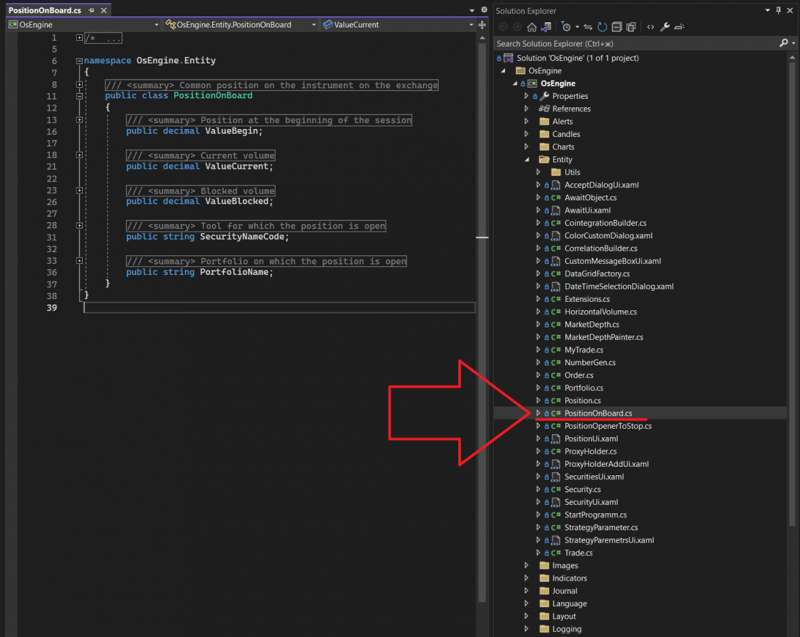
Description of class members:
ValueBegin – a public decimal-type field. Stores the quantity of an asset in the account at the beginning of the trading session. If the exchange operates 24/7, the start of the session is considered the start of the day.
ValueCurrent – a public decimal-type field. Stores the quantity of an asset currently in the account.
ValueBlocked – a public decimal-type field. Stores the quantity of an asset blocked by the exchange as collateral.
SecurityNameCode – a public string-type field. Contains the name of the asset.
PortfolioName – a public string-type field. Contains the identifier of the portfolio to which this exchange position belongs.
4. Portfolio Example Using Quik.
Let's sketch a picture of how a portfolio might look and what data can be requested from it. We have Quik, 4570 rubles in the account, and 1 purchased contract for NGN4:
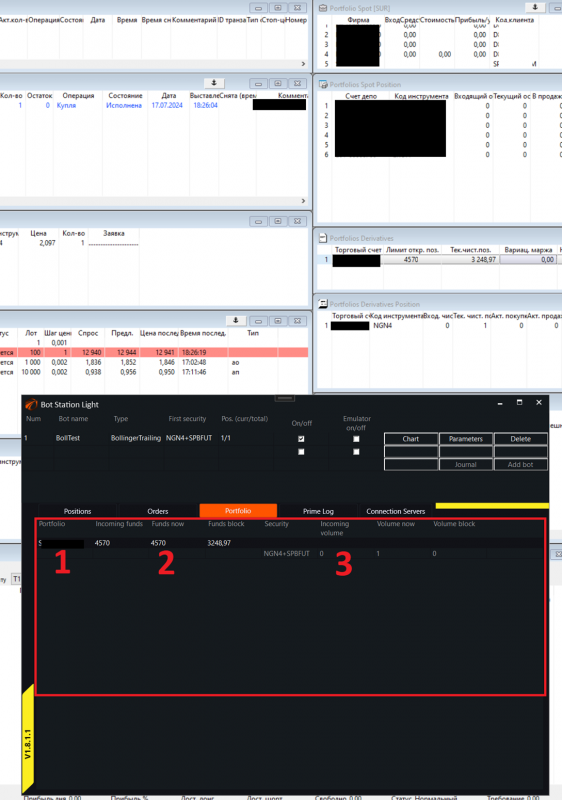
1. Portfolio number or name. Since there can be multiple portfolios, it needs to be known in order to access it.
2. Current ruble assets in the account.
3. Position in the portfolio. PositionOnBoard. In this case, it's NGN4.
The same information represented visually. The current portfolio globally has a name, contains current ruble assets, and an array of positions on the exchange:
5. Portfolio in Cryptocurrency.
It differs from the portfolio in Quik in that all assets and positions are stored in an array called PositionOnBoard:
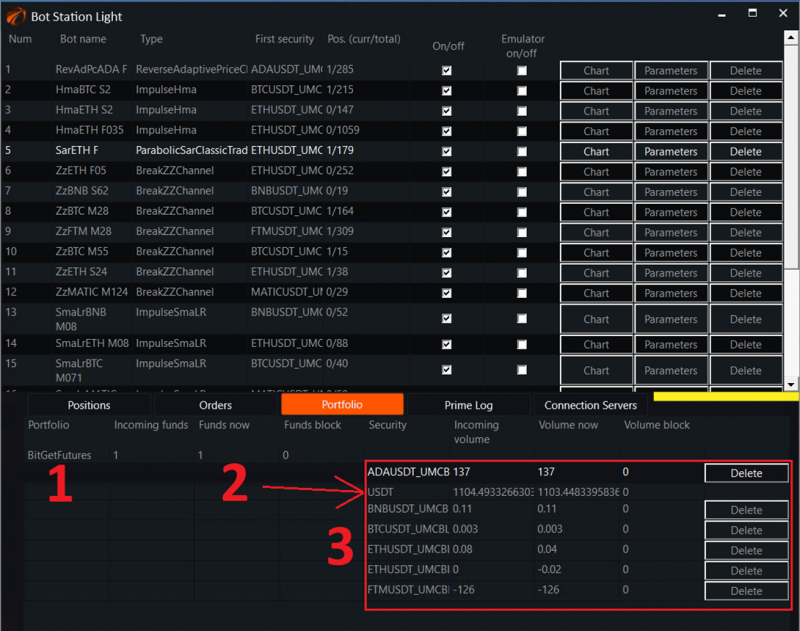
Therefore, when creating a robot, this should be taken into account.
6. Accessing the Portfolio. Example.
When placing orders, you may need to calculate the size of the transaction based on your current assets. This is common practice.
In the OsEngine project, there is a great example that implements the calculation of volumes in various ways, including accessing the portfolio and its positions. It can be found here:
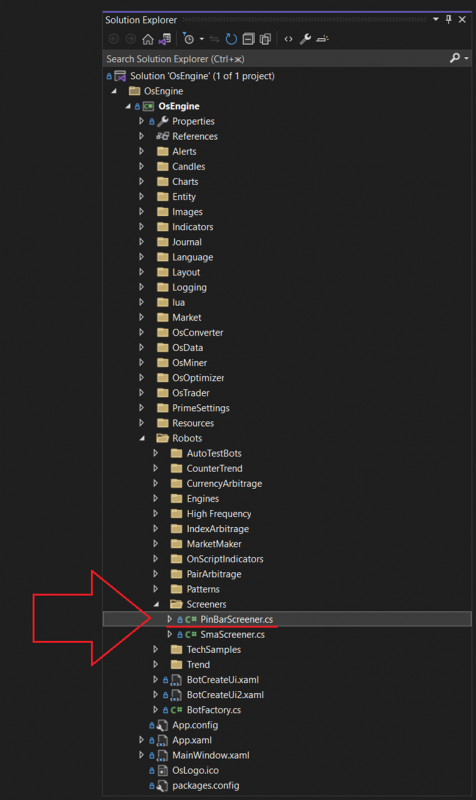
The main article about this example can be found here.
We are particularly interested in the GetVolume method:
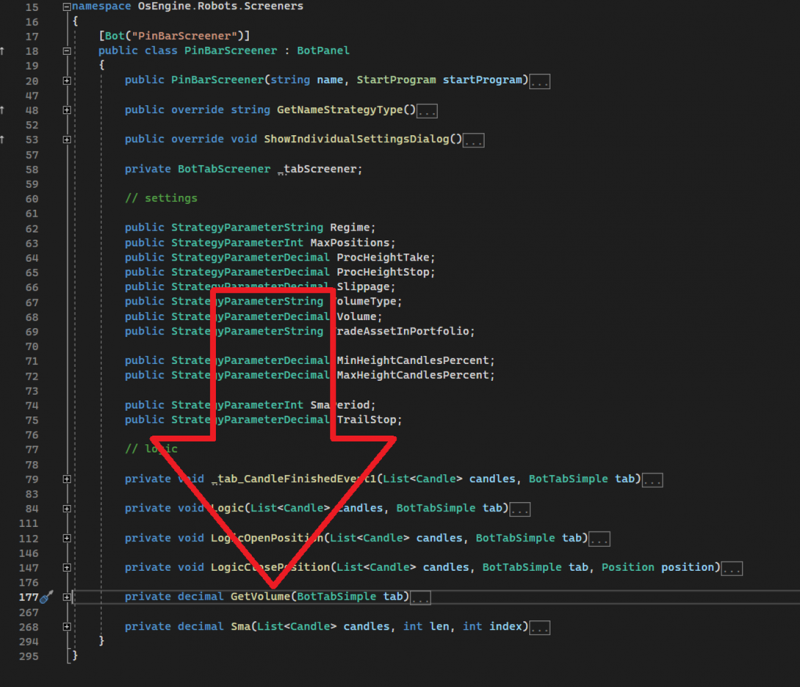
Inside it, the volume for entering a position is calculated. We are interested in the option of calculating the volume based on the size of the deposit:
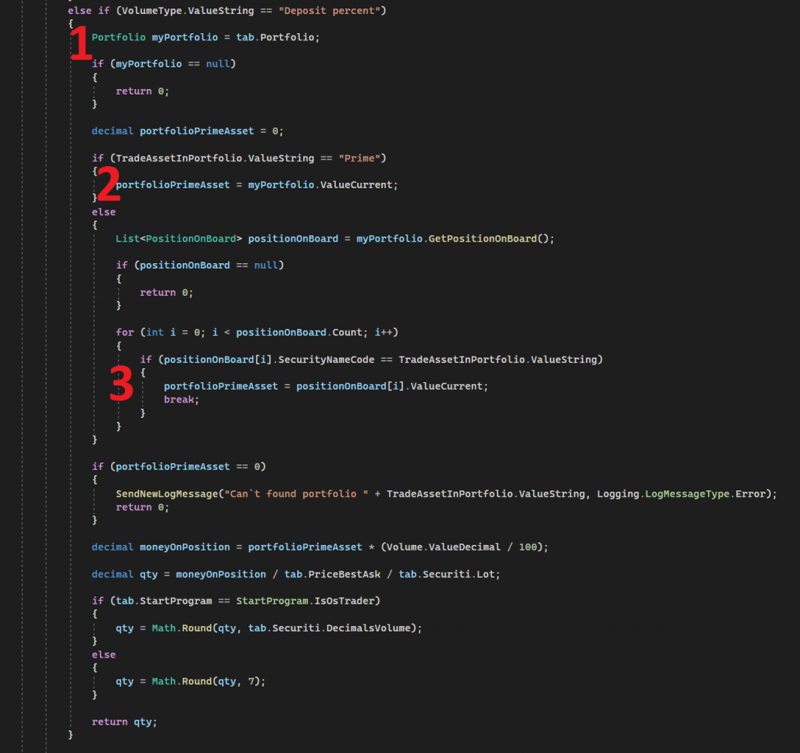
1. Here we request the portfolio from the BotTabSimple class. This is a standard, simple trading source in OsEngine. It is the most common one, and we will talk a lot about it further in the guide.
2. If the user has chosen a portfolio of the Prime type, we request the size of the assets directly from the portfolio. This is the option with Quik, where the portfolio itself knows its assets, and they are the same for the entire portfolio.
3. If the user has assigned a different name for the assets (for example, USDT, or sometimes RUB or EUR), we then look for them in the PositionOnBoard array. This option is for cryptocurrency exchanges and Tinkoff.
If you have any difficulties or questions, please write to the support chat. Link