Exchange request. Description of the Order class.
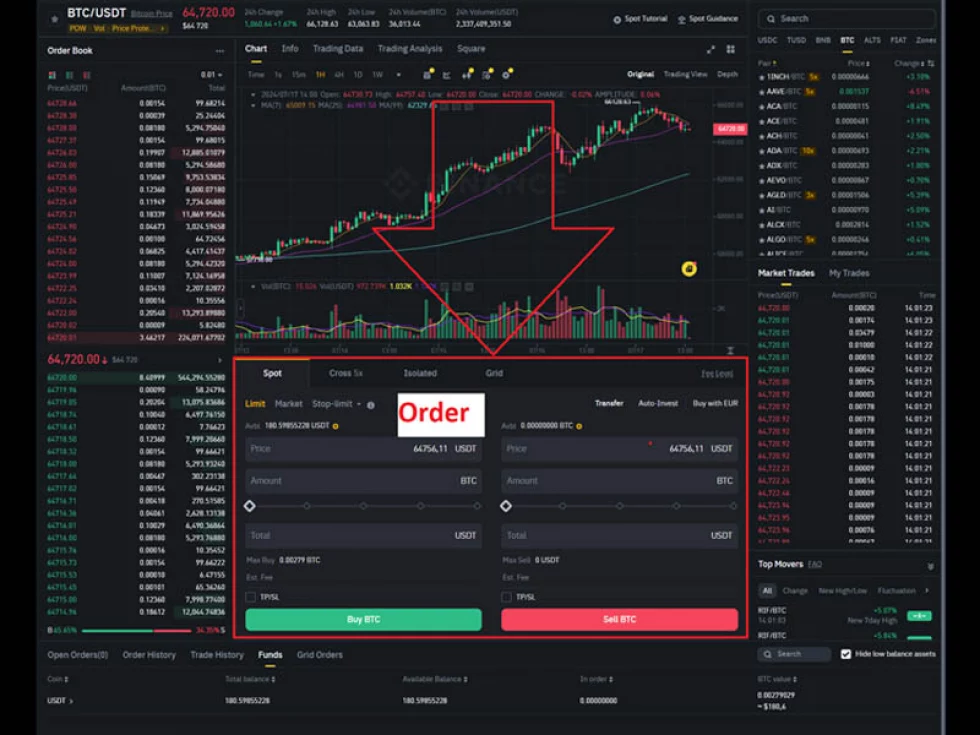
Let's talk about Orders (Requests). We create them at the moment when we want to open a position:
1. What is an Order (Request) on the exchange?
A trade cannot exist without the concept of a request.
An order (exchange request, command) is an instruction sent to the exchange that expresses a trader's intention to carry out a trading operation of buying or selling a financial instrument. There are several types of orders that differ by order type, execution features, and additional restrictions. By type of execution, we distinguish between market, limit, and conditional orders.
A market order is executed immediately upon arrival at the exchange when counterparties in the form of limit orders are present. This type of order does not require price setting. The final execution price will be calculated based on the average price of trades that occur as a result of fulfilling the order.
A limit order is a request to execute a trade when the price reaches a specific value. This type of instruction requires the desired price to be specified. Unlike market orders, limit orders are free from slippage and usually have reduced commissions.
A conditional order implies activating the request when predetermined conditions arise. For example, such requests include a stop order — an instruction sent to the core trading system after the price reaches a specific value.
2. The Order Class in OsEngine.
OsEngine can create orders as well as receive them from the exchange. In most cases, requests are transformed into the Order class.
On GitHub, this class can be found here.
Within the project, it can be found here:
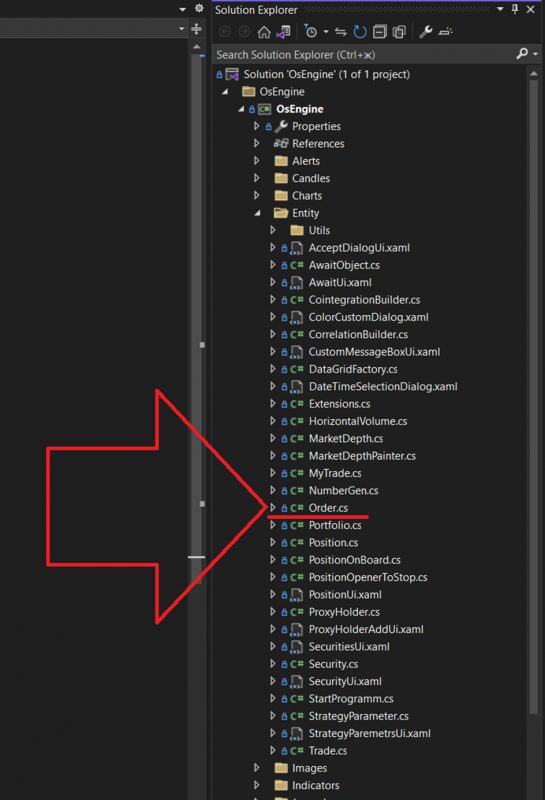
The class itself, when opened, looks as follows:

Let's examine all members of the Order.cs class in detail.
- NumberUser – a public field of type Int. Set by the program, it stores a unique identifier for the object within the terminal.
- NumberMarket – a public string field. Stores a unique identifier for the request provided by the exchange.
- SecurityNameCode – a public string field. Contains the name of the instrument for which the transaction was made.
- SecurityClassCode – a public string field. Defines the code of the instrument class for which the transaction was made.
- PortfolioNumber – a public string field. Stores the account number to which the request belongs.
- Side – a public field of type Side. Indicates the direction of the request. Possible values for the Side enumeration:
- None - used when creating objects where the direction of the request is not defined.
- Buy
- Sell
- Price – a public field of type decimal. Contains the price value set at the time of creating the request.
- PriceReal – a public property of type decimal. Returns the actual price at which the request was fulfilled.
- Volume – a public field of type decimal. Stores the volume value that was initially intended to be obtained by the order.
- VolumeExecute – a public property of type decimal. Returns the volume that has already been executed. It is calculated based on trades belonging to this request.
- MyTrades – a public property of type MyTrade. Stores all trades belonging to this order.
- State – a public property of type OrderStateType. Defines the current state of the object. It can have the following values:
- None - used when creating objects where the state of the request is not defined.
- Active - the order has been accepted by the exchange and is placed in the order book.
- Pending - the request has been accepted by the exchange and is awaiting registration in the system.
- Done - the request has been fully executed.
- Partial - the request has been partially executed.
- Fall - the order has been rejected by the trading system due to irrelevant data in the object's fields or due to external factors, such as non-trading hours of the exchange.
- Cancel - the request has been canceled by the user or the trading system.
- TypeOrder – a public field of type OrderPriceType. Defines the type of order:
- Limit - set the order at a specified price.
- Market - execute the order at current prices.
- Iceberg - place a series of orders while hiding part of the volume.
- PositionConditionType – a public field of type OrderPositionConditionType. Defines the purpose of the order:
- None - not defined.
- Open - the order is used to open a position.
- Close - the order is used to close a position.
- Comment – a public string field. May contain supplementary information.
- TimeCallBack – a public field of type DateTime. Stores the time of the first response from the exchange to the request.
- TimeCancel – a public field of type DateTime. Stores the time of order cancellation.
- TimeDone – a public field of type DateTime. Stores the time of order execution.
- TimeCreate – a public field of type DateTime. The time when the order was created in the program.
- TimeRoundTrip – a public property of type TimeSpan. Contains the duration required to place the request.
- TimeExecuteFirstTrade – a public property of type DateTime. Returns the time of the first trade for the order. If there are no trades, it returns the time of request creation.
- LifeTime – a public field of type TimeSpan. The time period after which the order will be canceled by the program if it has not been executed by that time.
- IsStopOrProfit – a public field of type bool. A flag indicating whether this order is an associated stop-loss or take-profit request.
- ServerType – a public field of type ServerType. Indicates the type of exchange for which this order is intended.
- SetTrade – accepts a trade and checks its association with the current order. If positive, it adds to the list and, if necessary, changes the state of the request.
- GetMidlePrice – calculates the average execution price of the order based on existing trades.
- GetLastTradeTime – returns the time of the last trade.
- TradesIsComing – a public property of type bool. Indicates whether there have been trades for the order.
- GetStringForSave – a public method that does not take parameters and returns a string containing all the fields of the object for further storage.
- SetOrderFromString – a public method that accepts a string containing data for all fields, parses it, and initializes the state of the object.
Good luck with your algorithms!
If you have any difficulties or questions, please write to the support chat. Link